
Smart devices. Real benefits.
Tech that simplifies modern living and earns its place in your home.

Products
Scroll to browse, then submit an inquiry for details.
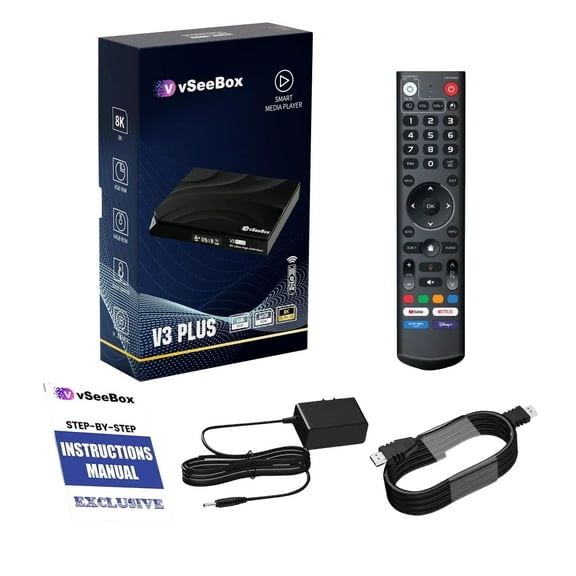
vSeeBox – V3 Plus
The V3 Plus is a simple, reliable streaming box designed for everyday viewing. It provides access to live TV, sports, movies, and popular streaming apps in an easy plug-and-play setup with no monthly subscription required. This model is ideal for first-time users, secondary TVs, or anyone who wants a straightforward and affordable streaming solution without extra complexity.
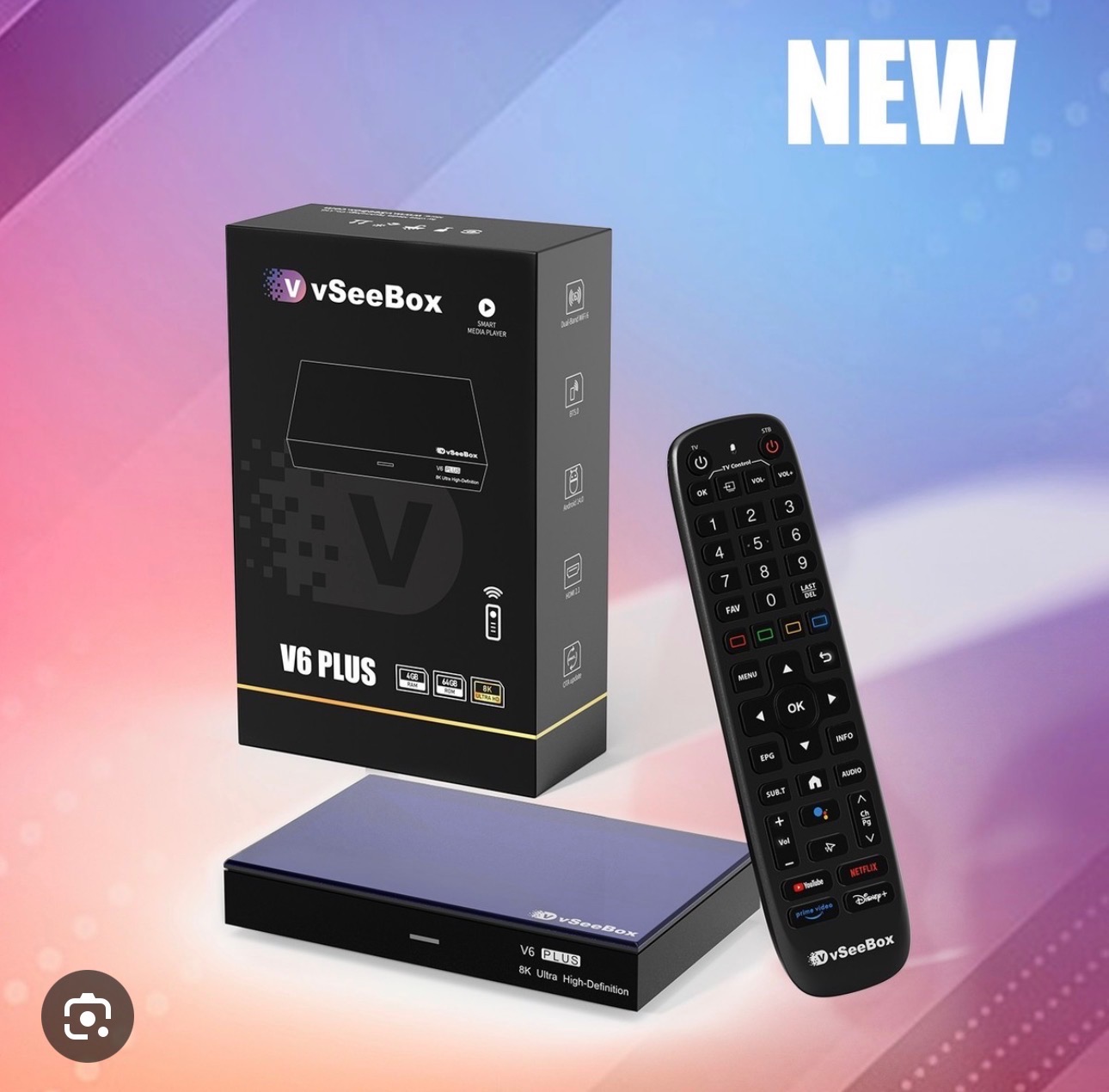
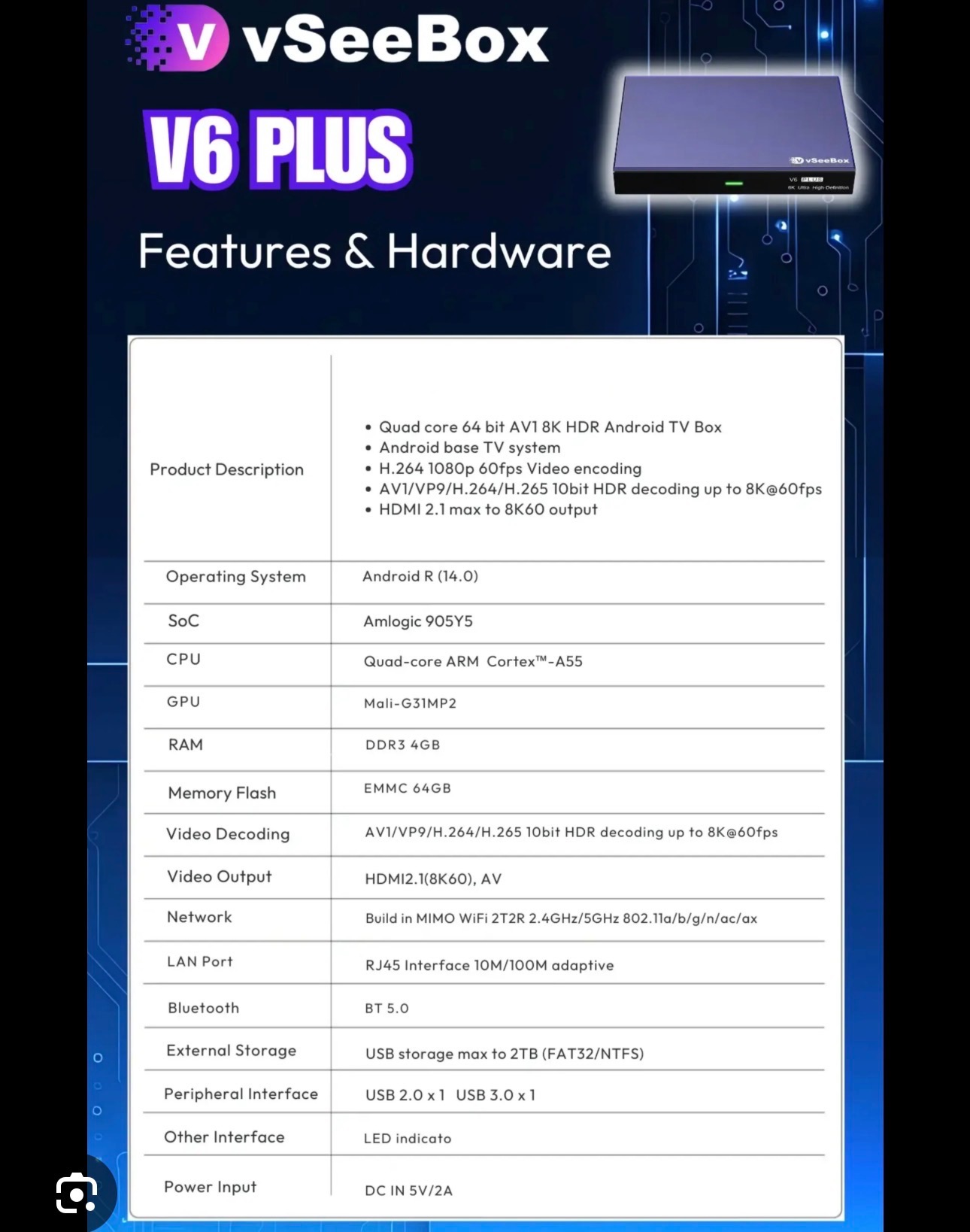
vSeeBox - V6 Plus
The V6 Plus is a powerful, modern streaming device built for heavier use and smoother performance. It offers faster load times, improved multitasking, and excellent picture quality, making live TV, sports, and high-resolution streaming feel seamless. This model is best suited for primary living room TVs, sports fans, and users who want a clear step up in performance.
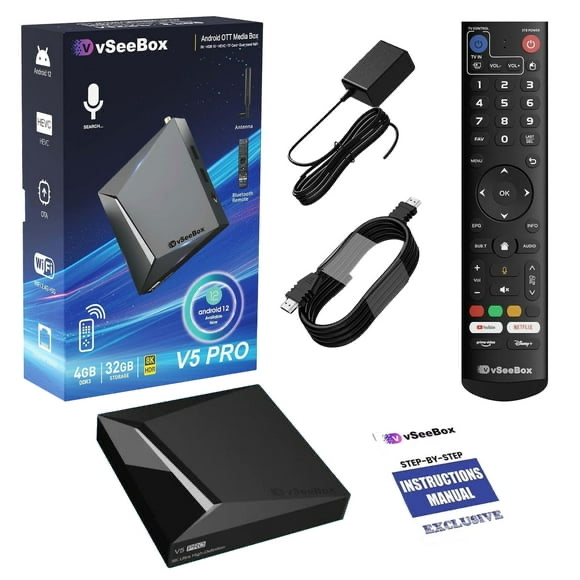
vSeeBox – V5 Pro
The V5 Pro delivers a noticeable performance upgrade while keeping the experience simple and user-friendly. With faster navigation and smoother app performance, it handles live TV, sports, and on-demand streaming comfortably for daily use. This model is a great fit for most households and for users upgrading from older streaming devices who want better speed and responsiveness without overpaying.
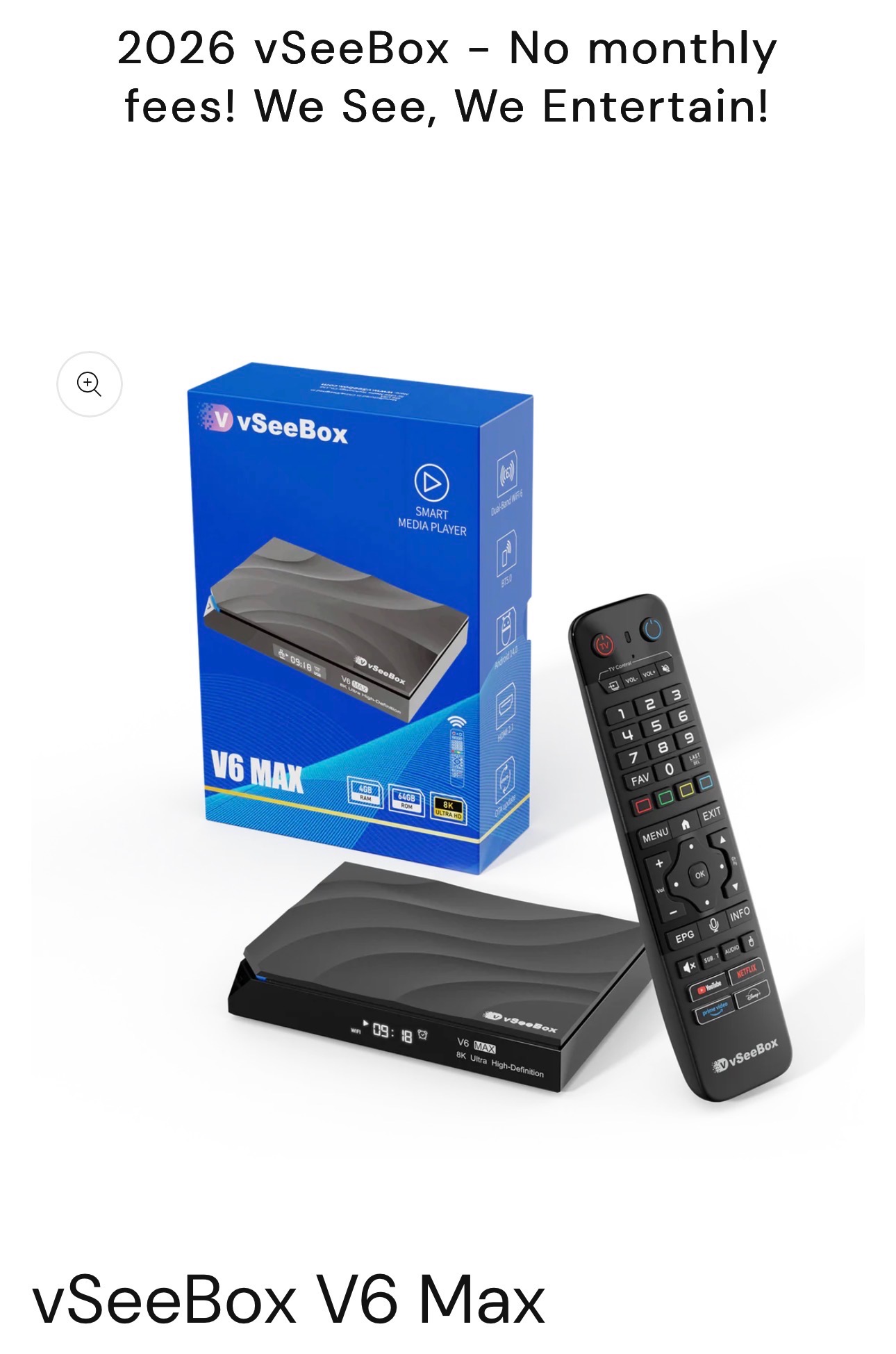
vSeeBox – V6 Max
The V6 Max is the most advanced option in the lineup, designed for users who want top-tier performance and long-term reliability. It delivers the fastest speeds, smoothest navigation, and the most future-ready setup for high-quality streaming. This model is ideal for power users, larger households, and anyone who wants the best overall experience available.
vSeeBox Info
A sample of included live channels:
…and 1,750+ more. Sports, news, entertainment & international.
- Network Problems Switch to another Wi-Fi or Ethernet. Try your phone's hotspot or a VPN.
- Display Issues Use a different HDMI cable or TV port, or adjust the resolution in settings.
- Remote Issues Use a USB keyboard to control the box, re-pair the remote, or replace batteries.
- Power Issues Try a different power adapter or use 5V/2A USB reverse power if supported.
- App / System Issues Uninstall and reinstall the app, or do a factory reset if needed.
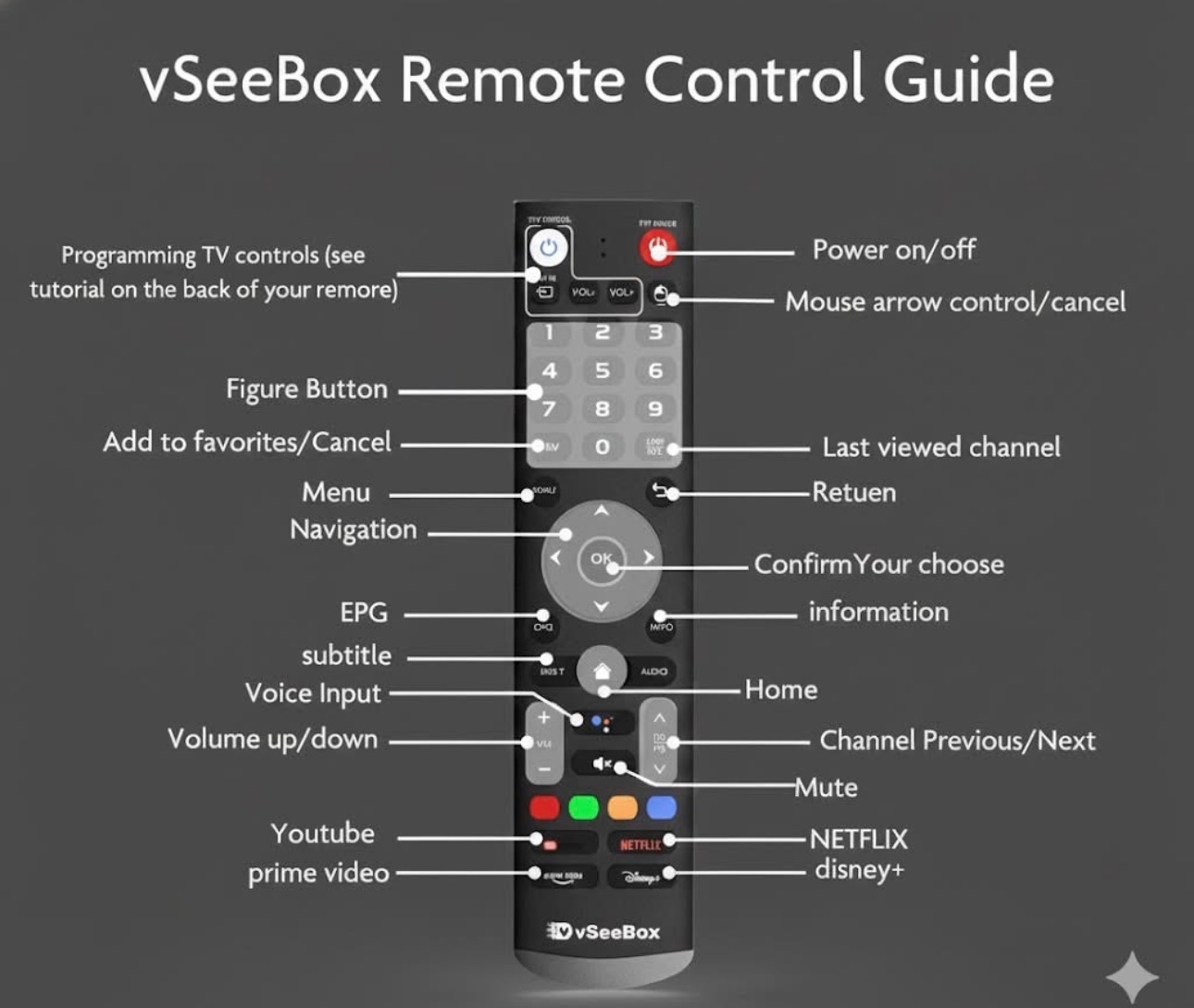
Remote tip: the tutorial for programming TV controls is printed on the back of the remote.
Streaming service abbreviations you'll see on the box:
Remote reference:
Is vSeeBox Legal?
Yes. vSeeBox is legal to own and use in the United States. Here is a straightforward breakdown of what that means.
What vSeeBox Actually Is
vSeeBox is an Android-based streaming device. It does not host, upload, or store any content. It works more like a browser or search tool, helping organize and display content that already exists on the internet.
Why the Device Itself Is Legal
- The hardware is legal, just like a phone, tablet, or computer
- The device does not contain preloaded movies or TV shows
- It streams content from external sources online
- Users choose what they access and how they use the device
Responsible Use
As with any internet-connected device, users are responsible for how they use it. We recommend using vSeeBox for free public content and streaming platforms you are already subscribed to.
How It Works
vSeeBox runs on Android and uses apps that gather streaming links from across the web. Think of it as a simplified interface that makes it easier to find and organize content. The actual streams come from third-party sources online.
This information is provided for general awareness. For specific legal guidance, consult a qualified professional in your area.
Inquiry
Streaming subscriptions
Check what you have. Total updates instantly.
| Have it | Service | Monthly price |
|---|---|---|
| AMC+ | $8.99 | |
| Acorn TV | $10.99 | |
| Amazon Prime Video | $18.00 | |
| Apple TV+ | $13.00 | |
| Bally / FanDuel | $19.99 | |
| BrtBox | $13.99 | |
| Criterion | $10.99 | |
| Crunchyroll | $17.00 | |
| DANZ | $29.99 | |
| DirecTV Stream | $133.00 | |
| Discovery+ | $6.99 | |
| Disney+ | $16.00 | |
| ESPN Unlimited | $29.99 | |
| FUBO | $110.00 | |
| HBO Max | $23.00 | |
| Hulu | $19.00 | |
| Hulu + Live TV | $96.00 | |
| MLB TV | $29.99 | |
| Mubi | $13.99 | |
| NBA League Pass | $24.99 | |
| Netflix | $25.00 | |
| Paramount+ | $14.00 | |
| Peacock | $17.00 | |
| Philo | $28.00 | |
| Sling TV | $60.00 | |
| Sunday Ticket RDZ | $43.50 | |
| WNBA League Pass | $12.99 | |
| YouTube TV | $72.99 |
Pick a device price to estimate how quickly it pays for itself based on your selected subscriptions.
Trusted by customers
Real experiences from people who wanted a simpler setup.
I was bouncing between streaming apps and still paying for cable. This replaced both. Setup was easy, quality is great, and it’s nice not juggling subscriptions anymore.
I had multiple streaming services plus cable and it was a mess. This cleaned everything up and I still get live TV and sports without monthly fees.
Between streaming subscriptions and cable, my bill kept climbing. This paid for itself quicker than I expected and I didn’t lose anything I actually watch.
I was tired of switching between apps and still missing channels. This finally feels like everything is in one place again.
I like streaming, I just hated managing it. This made things simple and I’m saving money each month.
I wasn’t sure about replacing my streaming setup, but this was surprisingly easy. Everything I watch is here and it runs smoothly
I’m used to streaming everything, but this feels more organized and reliable than juggling different services. Picture quality has been excellent.